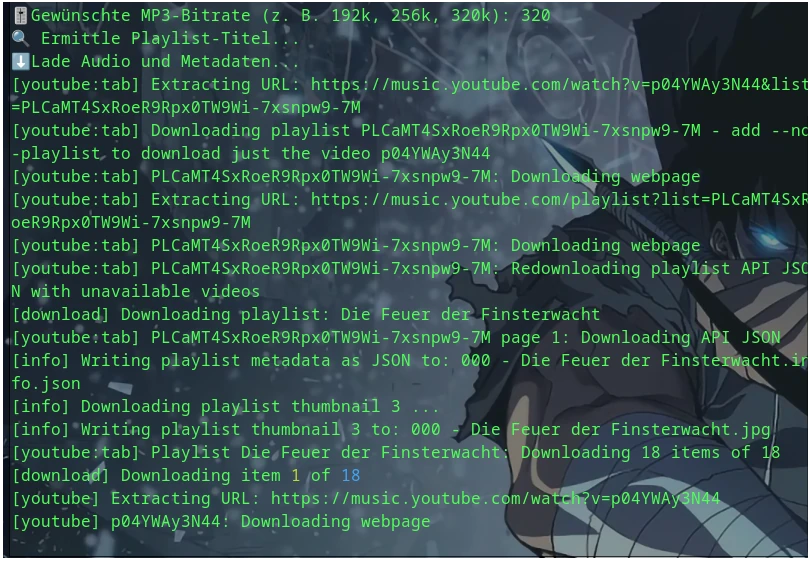
The YouTube Downloader. He was gone for a long time, but has been available again for some time now in the form of a fork called yt-dlp and is available among others on GitHub. Some distributions also include it in their package manager.
One should keep in mind that we are building a script with which one can download music from YouTube or other services. Whether this is always allowed should be clarified!
Use at your own risk.
The finished script is available for download at the end.
I will not provide instructions on how to install yt-dlp here. I assume in this tutorial that the following are already installed on your system:
- yt-dlp
- ffmpeg
- jq (for JSON processing of metadata)
- eyeD3
Basic Considerations
What should our script be able to do
Well, it shouldn’t be a goose laying golden eggs, but it should handle as much as possible.
What I have thought about
- Greeting message on program start
- Creating log files
- Selection and conversion of allowed audio formats (MP3, FLAC, etc.)
- Setting the bitrate for MP3
- Prompting for the URL of the corresponding playlist
- Creating a folder with the name of the playlist
- Downloading album covers as thumbnails and embedding them in the audio file (if available)
- Clean naming according to track numbers
- Metadata tagging (Title, Track number, Artist, Album if applicable)
- Parallelization for faster processing?
- ID3-V2 tagging would be nice
- Message when tasks are completed.
A rather manageable wish list.
Let’s get started
First, we open the terminal and our editor of choice. I use nano in the terminal, which is enough for me.
nano yt-dlp_script.sh
Let’s start normally with the greeting:
1
2
3
4
5
| #!/bin/bash
# === Begrüßung ===
echo " Willkommen zum Youtube Downloader in ScriptForm"
echo "-----------------------------------------------"
|
Next, the log files and allowed audio formats:
1
2
3
| # === Konfiguration ===
LOGFILE ="error.log"
VALID_FORMATS =("flac", "mp3", "aac", "alac")
|
A check to see if yt-dlp or the YouTube Downloader are installed? Of course.
 1
 2
 3
 4
 5
 6
 7
 8
 9
10
11
12
13
14
15
16
17
18
19
20
21
22
23
24
25
26
27
28
29
30
| # === Check ob yt-dlp oder youtube-dl und ffmpeg installiert sind ===
if command -v yt-dlp &> /dev/null; then
YTDL="yt-dlp"
elif command -v youtube-dl &> /dev/null; then
YTDL="youtube-dl"
else
echo "❌ yt-dlp oder youtube-dl nicht gefunden." | tee -a "$LOGFILE"
exit 1
fi
if ! command -v ffmpeg &> /dev/null; then
echo "❌ ffmpeg ist nicht installiert." | tee -a "$LOGFILE"
exit 1
fi
if ! command -v jq &> /dev/null; then
echo "❌ jq ist nicht installiert." | tee -a "$LOGFILE"
exit 1
fi
# === ffmpeg und jq installiert? ===
if ! command -v ffmpeg &> /dev/null; then
echo "❌ ffmpeg ist nicht installiert." | tee -a "$LOGFILE"
exit 1
fi
if ! command -v jq &> /dev/null; then
echo "❌ jq ist nicht installiert." | tee -a "$LOGFILE"
exit 1
fi
|
Next, we ask for the URL and the desired audio format in which the audio files should exist. Optionally, also the bitrate for MP3:
 1
 2
 3
 4
 5
 6
 7
 8
 9
10
11
12
| # === URL und Format-Abfrage ===
read -p "🎵 Bitte die YouTube-Playlist-URL eingeben: " URL
read -p "🎧 Gewünschtes Audioformat (flac, mp3, wav, aac, ogg, alac): " AUDIO_FORMAT
# Optional Bitrate, wenn MP3
BITRATE_ARG=""
ID3_ARG=""
if [[ "$AUDIO_FORMAT" == "mp3" ]]; then
read -p "🎚️ Gewünschte MP3-Bitrate (z. B. 192k, 256k, 320k): " BITRATE
BITRATE_ARG="-b:a $BITRATE"
ID3_ARG="-id3v2_version 4"
fi
|
So far so good. We have now defined the things that require user attention. Now let’s make sure the script does what it is supposed to do.
As written in the wish list, the name of the playlist should serve as the folder name. For this, the name of the playlist must be determined and the folder created:
1
2
3
4
5
6
7
8
9
| # === Playlist-Titel ermitteln ===
echo "🔍 Ermittle Playlist-Titel..."
PLAYLIST_TITLE=$($YTDL --flat-playlist --print "%(playlist_title)s" "$URL" 2>>"$LOGFILE" | head -n 1)
SAFE_NAME=$(echo "${PLAYLIST_TITLE:-YT_Playlist_$(date +%s)}" | tr -cd '[:alnum:] _-' | tr ' ' '_')
# === Verzeichnis vorbereiten ===
DOWNLOAD_DIR="$SAFE_NAME"
mkdir -p "$DOWNLOAD_DIR"
cd "$DOWNLOAD_DIR" || exit
|
In the next step, the titles and thumbnails should now be downloaded and the metadata of the audio files determined:
1
2
3
4
5
6
7
8
9
| # === Herunterladen der Playlist (inkl. Thumbnail) ===
echo "⬇️ Lade Audio und Metadaten..."
$YTDL \
--extract-audio \
--audio-format best \
--write-thumbnail \
--write-info-json \
--output "%(playlist_index)03d - %(title)s.%(ext)s" \
"$URL" 2>>"$LOGFILE"
|
Finally, the conversion to our desired audio format including tagging:
 1
 2
 3
 4
 5
 6
 7
 8
 9
10
11
12
13
14
15
16
17
18
19
20
21
22
23
24
25
26
27
28
29
30
31
32
33
34
35
36
| # === Umwandlung & Tagging (parallel) ===
shopt -s nullglob
echo "🎶 Konvertiere Dateien in $AUDIO_FORMAT..."
for input in *.{webm,m4a,mp3,opus}; do
[[ -f "$input" ]] || continue
(
base="${input%.*}"
json="$base.info.json"
cover=$(ls "$base".* 2>/dev/null | grep -Ei "\.(jpg|png|webp)$" | head -n 1)
title=$(jq -r .title "$json" 2>/dev/null)
track=$(echo "$base" | grep -oE '^[0-9]+')
artist=$(jq -r .uploader "$json" 2>/dev/null)
album=$(jq -r .playlist_title "$json" 2>/dev/null)
output="$base.$AUDIO_FORMAT"
echo "→ $input → $output"
ffmpeg -i "$input" \
${cover:+-i "$cover"} \
-map 0:a \
${cover:+-map 1} \
-c:a "$AUDIO_FORMAT" $BITRATE_ARG $ID3_ARG \
-metadata title="$title" \
-metadata track="$track" \
-metadata artist="$artist" \
-metadata album="$album" \
${cover:+-disposition:v attached_pic} \
-loglevel error -y "$output" || echo "⚠️ Fehler bei: $input" >> "$LOGFILE"
rm -f "$input" "$json" "$cover"
) &
done
wait
|
Now only the “finished message” is missing:
1
2
3
|
echo "✅ Fertig! Audiodateien im Format $AUDIO_FORMAT wurden im Ordner '$DOWNLOAD_DIR' gespeichert."
echo "📄 Fehler (falls vorhanden) sind in '$LOGFILE'."
|
With that, the script would already be finished. Now we just need to make the script executable, which is relatively easy:
sudo chmod +x yt-dlp_script.sh
The call is then made via ./yt-dlp_script.sh
As promised, here is now the link for downloading the finished script: Click here