
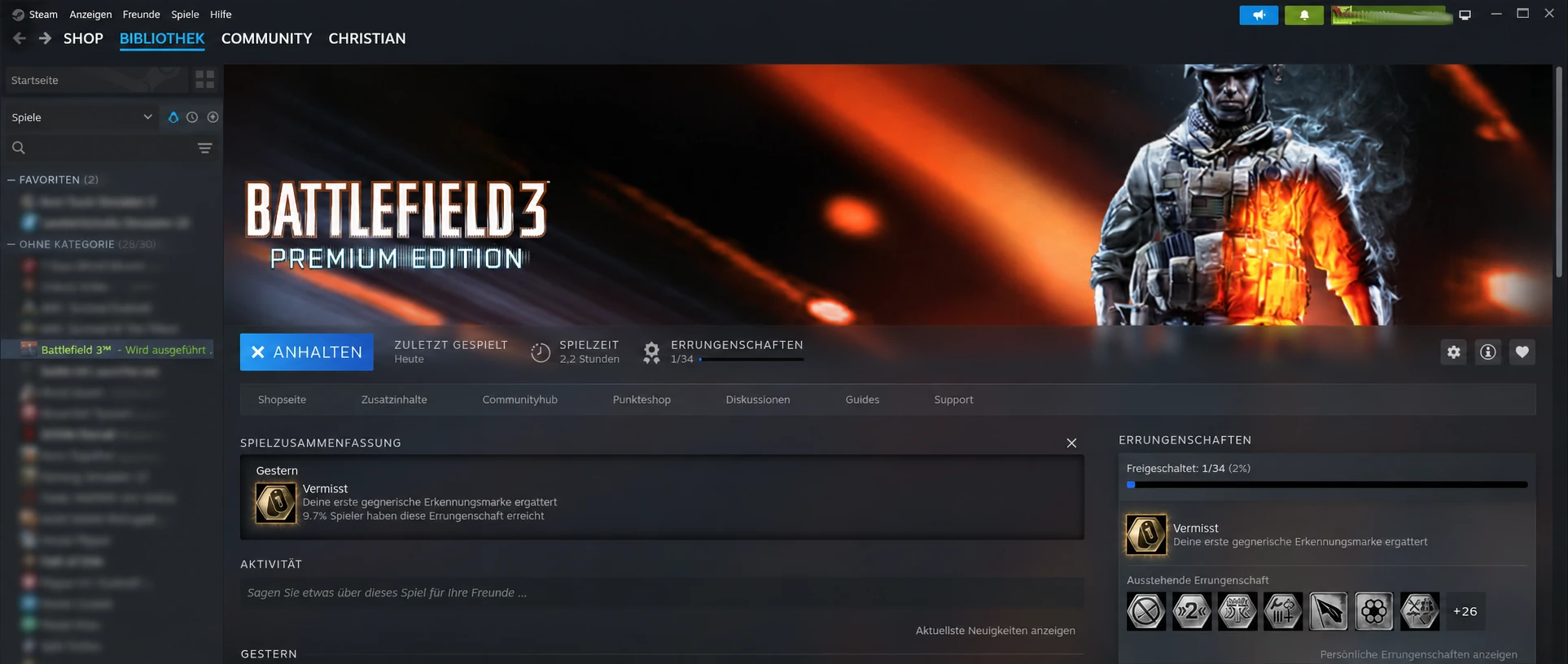
Playing Battlefield 3 on Linux (LMDE 7, Proton 11) in 2026
Battlefield 3 was already released back in 2011. And yes, I know, it’s old. But there are still active multiplayer servers today. Thanks to Proton, this classic can now be played surprisingly smoothly on Linux. And especially: more performant!
In this article, I show the installation under LMDE 7 (Linux Mint Debian Edition) with Steam and Proton 11, as well as the typical problems I encountered.
Test System
- LMDE 7 (Gigi)
- Linux Kernel 6.12
- AMD Ryzen 5 5500
- AMD Radeon RX 9060 XT
- Steam
- Proton 11
Installing Battlefield 3
Battlefield 3 is installed normally via Steam.
Then in Steam:
Properties → Compatibility
Enable:
Force the use of a specific compatibility tool for this game
and select as Proton version:
Proton 11
After that, start the game once so Steam creates the Proton prefix.

Battlelog Still Works
Battlefield 3 still uses Battlelog in the browser today.
Battlelog is accessed at:
https://battlelog.battlefield.com/bf3/
Log in with your EA account and link the game with Steam.
Installing Protontricks
Under LMDE, Protontricks could be installed via Flathub.
If Flatpak reports an error like
| |
it is usually because the user repository is corrupted.
In my case, the installed Flatpaks were available system-wide, while only the user repository was defective.
Updating PunkBuster
Many Battlefield 3 servers still use PunkBuster.
The current version of PBSetup can be downloaded here:
https://www.evenbalance.com/downloads.php
File:
| |
Starting Protontricks
| |
Then:
- Select Battlefield 3
- OK
After that:
Select the default wineprefix
and then select:
Run an arbitrary executable
Now start the downloaded file
| |
Adding Battlefield 3
In the PunkBuster Setup:
Add a Game
Select it. Then:
Battlefield 3
Add it and afterwards:
Update PunkBuster
Execute this to install the current PunkBuster files.

Typical Problem: “Disable VPN”
After successful installation, the following message appeared when joining a server:
| |
or:
| |
Surprise: No VPN Was Actually Active
The first suspicion was naturally an active VPN service.
However:
- No CyberGhost active
- No Mozilla VPN active
- Public IPv4 address from Deutsche Glasfaser
- Public IPv6 address from Deutsche Glasfaser
- No anomalies in blacklist checks
The queries yielded:
| |
Thus, it apparently was a false alarm from the server plugin used.
Cause
The message does not come from:
- Battlefield 3
- EA
- PunkBuster
- Linux
- Proton
but from an anti-VPN plugin of the respective server operators (BFAdminTools).
Apparently, the IP range used was incorrectly identified as a VPN or proxy.
Conclusion
The actual installation of Battlefield 3 on Linux was surprisingly uncomplicated:
- ✅ Steam installation
- ✅ Proton 11 works
- ✅ Battlelog works
- ✅ Battlefield 3 starts
- ✅ PunkBuster can be updated
The biggest problems did not arise from Linux or Proton, but from server-side anti-VPN filters that incorrectly classified a normal Deutsche Glasfaser IP as a VPN.
Remarkable is also how well Battlefield 3 integrates into the current Steam platform today. Playtime, achievements, and DLCs continue to work without issues. The game is still officially offered via Steam and can be installed without major detours. Even though it currently costs €40.
What is truly surprising here is not that Battlefield 3 runs on Linux – but how smoothly it does so now. While Linux was often seen as an obstacle in the past, today’s biggest stumbling blocks come from the remaining community tools and server filters. Anyone who wants to play Battlefield 3 again in 2026 can do so without problems on Linux.