
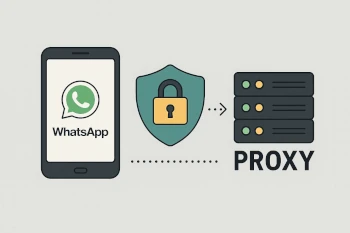
In some countries or networks, WhatsApp may not work properly. You can then enter a so-called proxy. This allows you to use WhatsApp anyway.
In this post, you will learn:
- What a proxy is
- Why a proxy can help with WhatsApp
- How to enter a proxy in WhatsApp
What is a proxy?
A proxy is a detour for your internet connection. You do not send your WhatsApp messages directly to the internet, but through another server. This can make it look as if you are coming from a different country.
Why enter a proxy for WhatsApp?
There are several reasons:
1. WhatsApp is blocked in the country
In some countries, WhatsApp is blocked. With a proxy, you can bypass the block.
2. WhatsApp does not work on Wi-Fi
Some schools or companies block WhatsApp on Wi-Fi. A proxy can also help here.
3. WhatsApp has disruptions
If the normal route to WhatsApp is not working, you can try it via a proxy.
4. More control
Some people set up their own proxy. This gives them more control over the connection.
5. Privacy
Meta can no longer associate you with your direct IP address and thus cannot create location profiles either.
Is a proxy secure?
WhatsApp is always end-to-end encrypted. No one can read your messages while they are being transmitted. However:
- A bad proxy can see when you are online.
- Therefore, only use proxies from people or organizations you trust.
- locally on the device, other programs such as Pegasus, Palantir, or Predator can still read your messages. Likewise, AI programs like Google’s Gemini or Meta AI. A proxy does not protect you against this, since end-to-end encryption is only active during transmission. Not when you are currently writing or reading a message.
Some IP addresses of WhatsApp proxies
If you do not have your own proxy, you can use one from the community. Here are some examples:
51.15.220.122Port80– France165.227.13.197Port80– Germany64.226.88.41Port80– Netherlands139.59.139.43Port80– Singapore212.132.127.121 Port 80- Switzerland (We use this one in our family)
These proxies were provided by volunteers. They can go offline at any time or be overloaded. Use them at your own risk.
If you want to be on the safe side, set up your own proxy (instructions will follow in a future post).
Enter proxy in WhatsApp
This is how you enter the proxy in WhatsApp:
- Open WhatsApp
- Go to Settings
- Tap on Storage and Data
- Select Proxy
- Activate Use Proxy
- Enter the IP address and port of the proxy
If the proxy works, a checkmark appears next to it.
Own proxy server (optional)
You can also set up your own proxy server. This can be done, for example, on a Raspberry Pi or a server on the internet. Instructions for this will follow soon in a new post.
Note: A proxy only helps with connection problems. It does not make WhatsApp faster or anonymous.