
WinBoat Installation Guide
WinBoat enables seamless execution of Windows applications on Linux by using a containerized Windows VM with Docker and KVM. This guide describes the necessary prerequisites and the individual steps for installation.
Prerequisites
Before installing WinBoat, ensure your system meets the following requirements:
- RAM: At least 4 GB available for WinBoat
- CPU: At least 2 logical threads (cores)
- Storage: At least 32 GB of free space in the
/vardirectory (40 GB recommended) - Virtualization: KVM must be enabled in BIOS/UEFI and
/dev/kvmmust be accessible - Docker Engine: Root Docker installed (Docker Desktop is not supported)
- Docker Compose v2: For compatibility with docker-compose files
- User in Docker Group: Your user must be in the group
dockerto use Docker without root privileges - FreeRDP: Version 3.x with sound support installed, for RemoteApp window composition
- Kernel Modules:
iptablesandiptable_natmust be loaded and available
Step 1: Prepare the System
Enable KVM Virtualization
- Enable virtualization technology (Intel VT-x or AMD-V) in BIOS/UEFI.
- Check if virtualization is recognized by the kernel with this command:
egrep -c '(vmx|svm)' /proc/cpuinfo
The result should be greater than 0.
Install Docker Engine and Docker Compose v2
Debian/Ubuntu Example:
| |
Ensure Docker Compose v2 (possibly additional installation depending on distribution).
Add User to Docker Group
| |
Install FreeRDP
FreeRDP must be at least version 3. Debian Trixie has it officially included. Linux Mint, especially the LMDE 6 variant, does not! That is annoying but not hindering, as we simply install it ourselves.
Option 1: Add Repository (Debian/Ubuntu)
- Add repository URL as a new source:
| |
- Download and authorize GPG key modernly with
curlandgpg --dearmor:
| |
- Update package list and install FreeRDP 3
| |
Option 2: Compile FreeRDP 3 from Source Code
- Install dependencies (example Debian):
| |
- Clone and compile source code:
| |
Option 3: Use Flatpak (if available)
| |
Step 3: Download and Run WinBoat
Download the latest WinBoat AppImage from the official website:
https://winboat.appMake the file executable and start the app:
| |
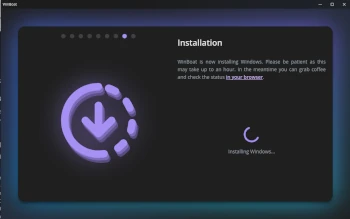
Step 4: Set Up Windows VM and Install Windows
- WinBoat opens a graphical setup.
- Specify how much RAM, CPU cores, and disk storage the Windows VM should receive (e.g., 4 cores, 8 GB RAM).
- Select a Windows ISO (can be downloaded automatically or specified manually).
- Start the Windows installation within the VM.
- Follow the usual Windows installation steps.
Step 5: Use Windows Applications Seamlessly in Linux
- After installation, Windows runs as a VM inside the Docker container.
- WinBoat internally sets up a “Guest Server” that passes the list of Windows applications.
- Windows applications can then be opened as native windows on the Linux desktop.
- Integration of files and folders between Linux and Windows is handled automatically via mounted directories.
Additional Notes
- Installation may take between 30 minutes and 1.5 hours depending on internet speed and hardware.
- Docker Desktop, rootless Podman, or emulations are not supported and lead to problems.
- Kernel modules
iptablesandiptable_natmust be loaded, otherwise the VM’s network connection will not work. - FreeRDP Version 3 is essential for window composition and sound integration.
Sources
- Official WinBoat Website: https://winboat.app
- GitHub Repository: https://github.com/TibixDev/winboat
- FreeRDP official page: https://www.freerdp.com
- Forum posts and installation discussions
This guide focuses on Debian-based systems (such as LMDE or Debian) but should also work on other Linux distributions with necessary adjustments.